The weekend is over and the app has done the maths: Amy owes Josh £118. Now what do you tap? How to settle up on Splitwise, and how to pay on Tricount? It’s a question a lot of users of both apps ask, because both are very good at showing each balance and who owes whom, and much less clear about who actually sends the money. We make Banana Split, a competing app, and we read both help centres on 7 October 2026 to answer it properly.
The short answer. How to settle up on Splitwise in the UK? Splitwise can move real money with Pay by Bank, straight from your current account, pounds to pounds. Tricount can’t: its payment request links only work in the Netherlands, Germany, France and Belgium, so in the UK it records payments you make elsewhere. Either way, a payment doesn’t tick itself off. Someone has to mark it as paid, and that button never moves a penny.
How to settle a debt on Tricount
Tricount works out everyone’s balance, then suggests repayments with, in its own help centre’s words, the goal “to limit the number of transactions between participants”. The suggestions are shown in the group’s main currency.
There are two ways to settle a debt on Tricount.
1. Pay elsewhere, then tick it off. Amy sends Josh £118 from her banking app, or hands over cash, then one of them taps “Mark as paid” next to the suggested repayment. You can also enter the repayment by hand as an expense of type “transfer”. It doesn’t count towards the group’s spending total.
2. A payment request link. Josh connects his bank account in his profile (under IBAN), then shares a request link from the Requests tab or the balances screen. Amy opens the link, picks a payment method and pays. Local bank payments such as iDEAL or Bancontact are free; by card, Tricount keeps 2.5% of the amount received, so a €100 request pays out €97.50.
The catch for UK readers: request links are only available in the Netherlands, Germany, France and Belgium for now. And even where they work, Tricount says on its own page that a request doesn’t mean you’ve been paid: once the money arrives, you still mark the repayment as paid.
Since the neobank bunq bought it, signing up to Tricount also opens a bunq account with a free virtual prepaid card, whose payments are added to the group as expenses automatically. Useful for paying during the trip, not for paying back afterwards.
How to settle up on Splitwise
On Splitwise, everything starts from the group’s or friend’s “Settle up” button: tap the balance, pick a payment method, confirm. What you’re offered depends entirely on where you live.
UK, France, Germany: Pay by Bank. Switched on from the Account tab and run by the payments provider Tink, it sends money straight from your bank. It launched in the UK in April 2024, then in France, Germany and Austria in October 2025. According to Splitwise’s help centre, it only works with a personal current account: no cards, no savings accounts, no multi-currency accounts, and no payments from one currency to another. Timing depends on your bank. You can also use it to request money. No fees are published.
US only: PayPal, Venmo and Splitwise Pay. The PayPal and Venmo integrations, and the Splitwise Pay wallet, are for US accounts in dollars. That’s why American guides on how to settle up on Splitwise talk about paying “in Splitwise” as if it were obvious.
Everywhere else: record a payment. Where no payment option is built in, Splitwise is a ledger: you pay however you like, then record a cash payment to update the balance.
Worth knowing: Simplify debts, which cuts down the number of transfers, is a free group setting on Splitwise, and it works one currency at a time. It isn’t a Pro feature.
How to settle up on Splitwise or Tricount, country by country
| Country | Tricount request link | Splitwise built-in payment |
|---|---|---|
| United Kingdom | No | Pay by Bank |
| France, Germany | Yes | Pay by Bank |
| Belgium, Netherlands | Yes | Not announced |
| Italy, Spain, Portugal | No | Not announced |
| United States | No | PayPal, Venmo, Splitwise Pay |
Sources: Tricount and Splitwise help centres and Tink’s announcements, checked on 7 October 2026. “Not announced” means we found no official announcement; Splitwise doesn’t publish a full country list.
What “paid” really means
Whether you’re working out how to settle up on Splitwise or on Tricount, this is the most common misunderstanding, and it’s the same in all three apps: marking a repayment as paid sends no money. The button updates a ledger, nothing more. Tricount says so plainly in its own comparison with Splitwise: recording a repayment is not a money transfer, you mark it paid once the payment is made.
The reverse is true too. On Splitwise, deleting the record of a cash payment puts the debt back, but deleting the record of a payment that was really sent doesn’t cancel the transfer. The money has gone; only the trace has disappeared.
And one last trap, specific to Splitwise: when you record a payment on Splitwise that clears everything you owe a friend, the app adds a settlement entry to every group you share. Handy if you meant it, confusing if you didn’t.
Amy taps “Mark as paid” on Tricount without sending any money. What happens?
Marking as paid only updates the balances. Money moves only through a paid request link, Splitwise's Pay by Bank, or a transfer made outside the app.
What groups actually do
In the groups tracked in Banana Split, paying back is the moment people record least: out of 156,748 groups with at least two people and five expenses, only 13.1% recorded at least one repayment in the app (export of 24 September 2026, covered in our article on paying friends back). The rest pay elsewhere, or not at all, and nobody ticks anything. That is exactly the gap between “paid” in the app and paid for real.
And in Banana Split?
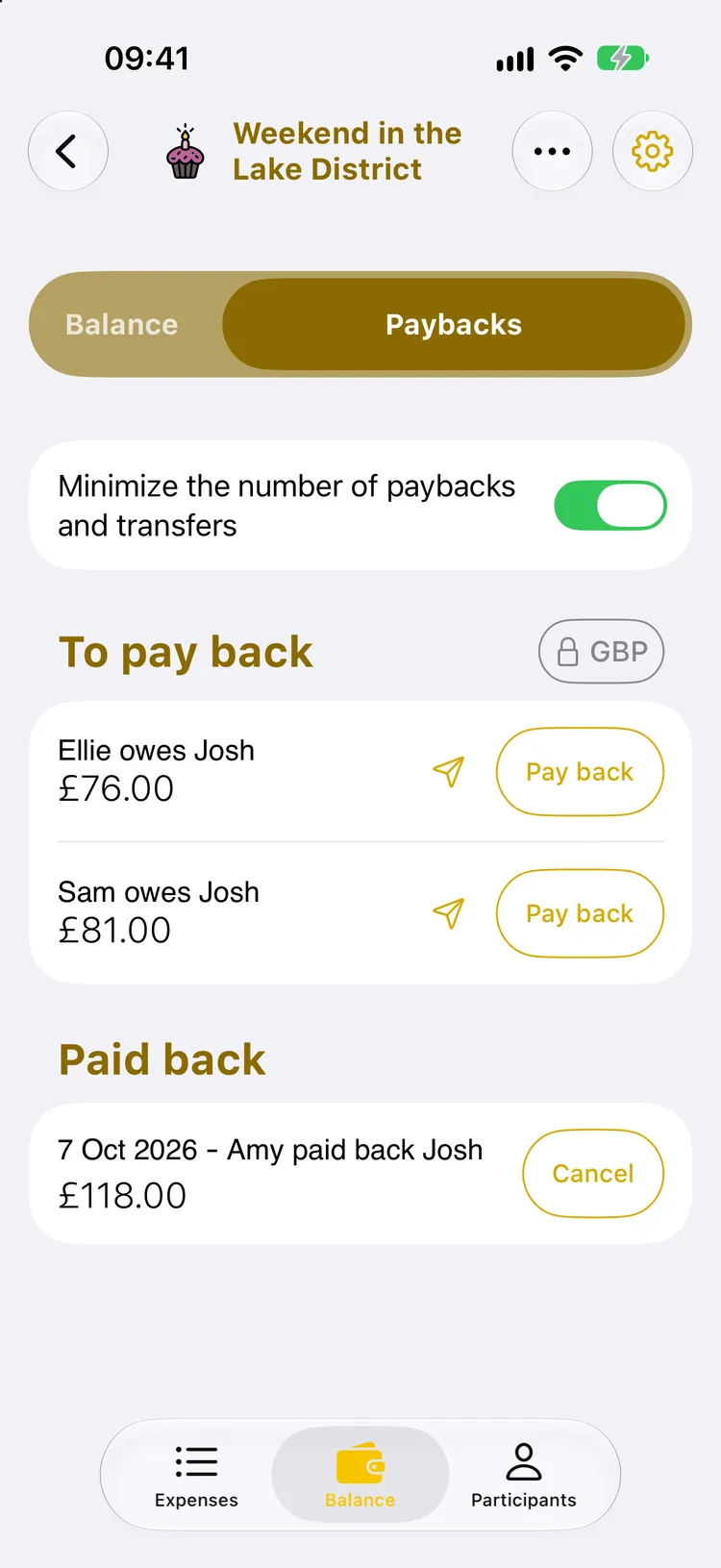
Banana Split doesn’t send the money: the app isn’t connected to any bank, by design. It works out the repayments in as few transfers as possible, sends the amount by message, then keeps the record.
- Record the payment. Under Balance, then Paybacks, the “Pay back” button records Amy’s payment on its date. The line moves to “Paid back”, with a “Cancel” button if it was a mistake.
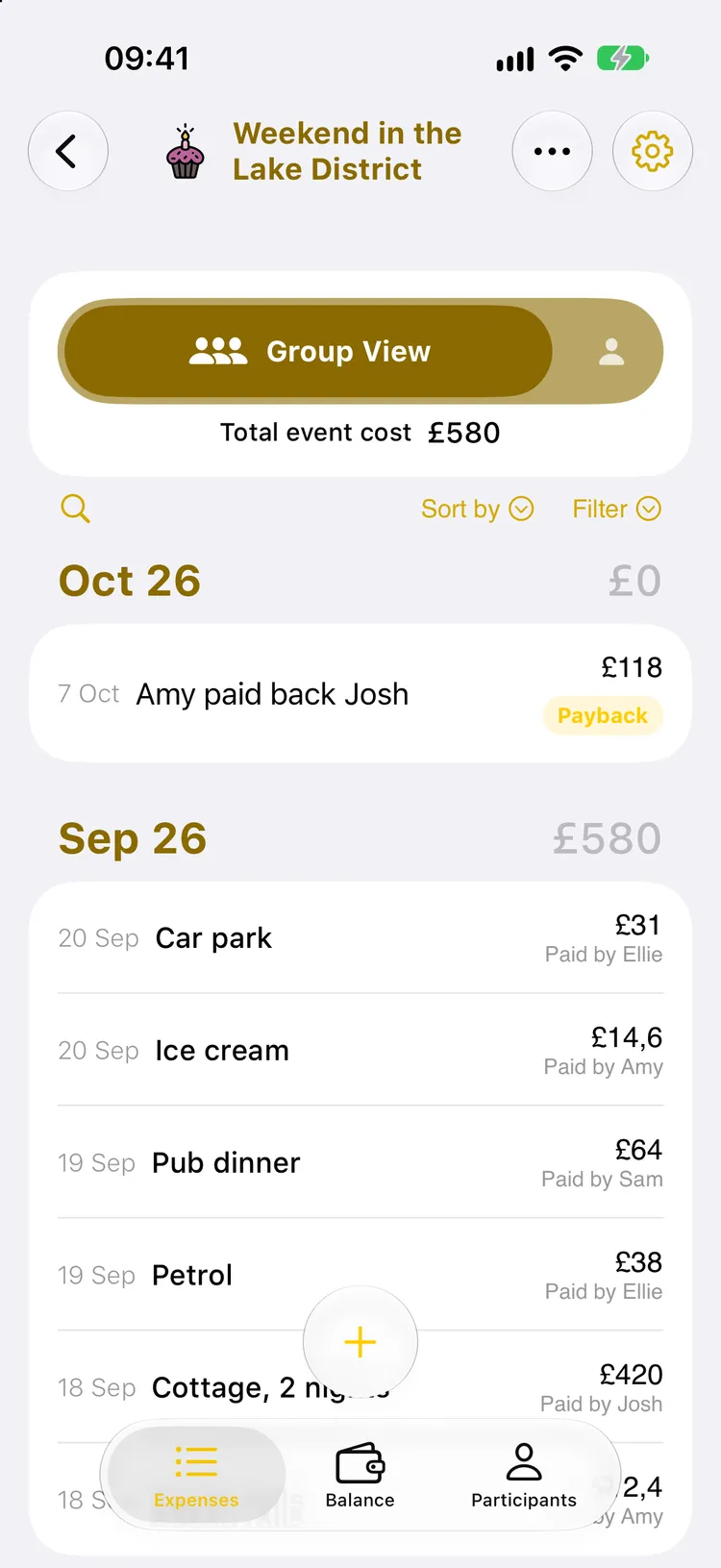
- It shows in the expenses. The repayment appears in the list with a “Payback” label, without changing the trip’s total cost.
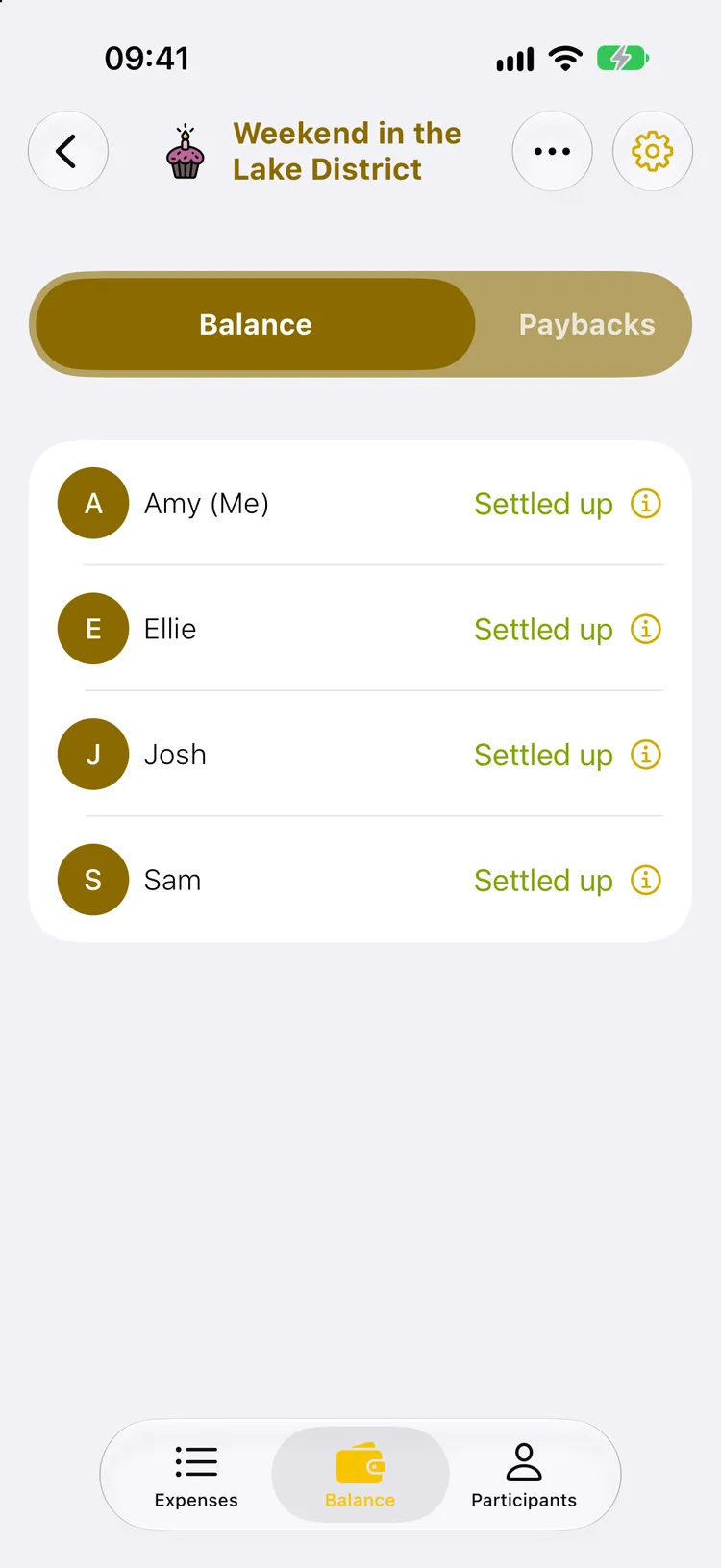
- Everyone is settled up. Once the three transfers are recorded, every participant shows “Settled up”.
The transfer itself happens with the tool you already use, a Faster Payment from your banking app in the UK. We compare the options and their fees, Monzo and PayPal included, in how to pay back friends, and the maths in who owes what to whom.
What we’d do
In the UK, if your group is on Splitwise and everyone has a current account in pounds, Pay by Bank does the job. To settle a debt on Tricount, pay by bank transfer and tap “Mark as paid” as soon as the money lands. In any app, the rule is the same: pay first, then tick, never the other way round.
Now you know how to settle up on Splitwise and pay on Tricount. To understand the rest of both apps, read what is Tricount and what is Splitwise. And to try something else, download Banana Split.
Where the information comes from
For this guide on how to settle up on Splitwise and pay on Tricount, everything about how the two apps work comes from their official help centres (help.tricount.com, tricount.com, kb.splitwise.com) and Tink’s announcements about Pay by Bank, checked on 7 October 2026. We couldn’t confirm whether a bunq account is needed to receive a Tricount request link: the help centre only talks about connecting “your bank account”. Splitwise publishes neither a full list of Pay by Bank countries nor its fees. The screenshots are from Banana Split on iPhone, on a demo group. The in-house figure comes from the anonymised, aggregated export of the Banana Split database of 24 September 2026.